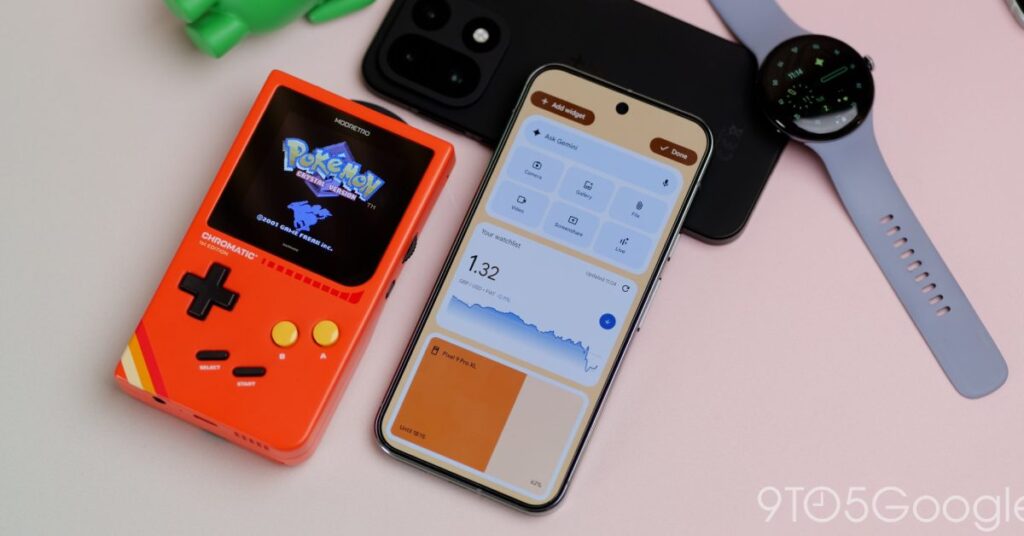


Big Android updates used to feel few and far between, but in the last few months, we’ve had some big changes, including a ton of new features in Android 16 QPR2. Here’s everything you need to know about the latest update for eligible Google Pixel phones.
For more video content subscribe to 9to5Google on YouTube.
Pixel Drop on top of a Pixel Drop
In November, we had a mini Pixel Drop that had a lot of cool stuff thrown in, like device themes, more Gemini image remixes, AI-powered notification summaries, plus a boatload of extras. This broke the regular release cadence of once every three months to get some things out of the door early.
It was based on QPR1, which was the basis for the massive Material 3 Expressive redesign. This latest Pixel Drop adds in all of the changes that we’ve been testing out on the QPR Beta cycle. So, to remove any confusion, this is the “real” Pixel Drop we were expecting. The previous update was just a nice bonus that added in a ton of neat little extras, mostly for Pixel 10 owners. Hopefully, some of those functions will get backported, but it’s not clear.
What phones can get Android 16 QPR2?
The best news is that this update is rolling out for a solid number of Pixel phones, from the Pixel 6 right through to the Pixel 10. A few devices might not get supported, though, including the Pixel Tablet, and we will confirm if that is the case. Here is every single device that can get the latest OTA:
- Pixel 6
- Pixel 6 Pro
- Pixel 6a
- Pixel 7
- Pixel 7 Pro
- Pixel Fold
- Pixel 7a
- Pixel 8
- Pixel 8 Pro
- Pixel 8a
- Pixel 9
- Pixel 9 Pro
- Pixel 9 Pro XL
- Pixel 9 Pro Fold
- Pixel 9a
- Pixel 10
- Pixel 10 Pro
- Pixel 10 Pro XL
- Pixel 10 Pro Fold
Expanded dark theme

We’ve had a dedicated dark theme on Pixels since Android 10, but Android 16 QPR2 is the first to take the feature forward in any meaningful way. There is a new “Expanded” option within the display settings that attempts to force certain apps that still don’t support the mode to work, while also making adjustments to ensure these apps function properly.
Although we can’t list out a full set of apps that this works with, some of the most prominent come from the UK’s BBC. Apps like BBC Sport won’t be quite as eye-searing all the time, and for other apps that this works with, you’ll have a better experience.
90:10 split-screen

Split-screen gets a new option that lets you adjust the layout for a 90:10 split, meaning you can have almost the full-screen app experience with one application, while the other is almost fully minimized. For multitasking, this is great for applications that might require the keyboard or maybe require more visible on-screen elements. You can switch back quickly and switch between if needed, without hindering the…
Source link
Disclaimer
We strive to uphold the highest ethical standards in all of our reporting and coverage. We blogs.grocliq.com want to be transparent with our readers about any potential conflicts of interest that may arise in our work. It’s possible that some of the investors we feature may have connections to other businesses, including competitors or companies we write about. However, we want to assure our readers that this will not have any impact on the integrity or impartiality of our reporting. We are committed to delivering accurate, unbiased news and information to our audience, and we will continue to uphold our ethics and principles in all of our work. Thank you for your trust and support.
Website Upgradation is going on for any glitch kindly connect at [email protected]