

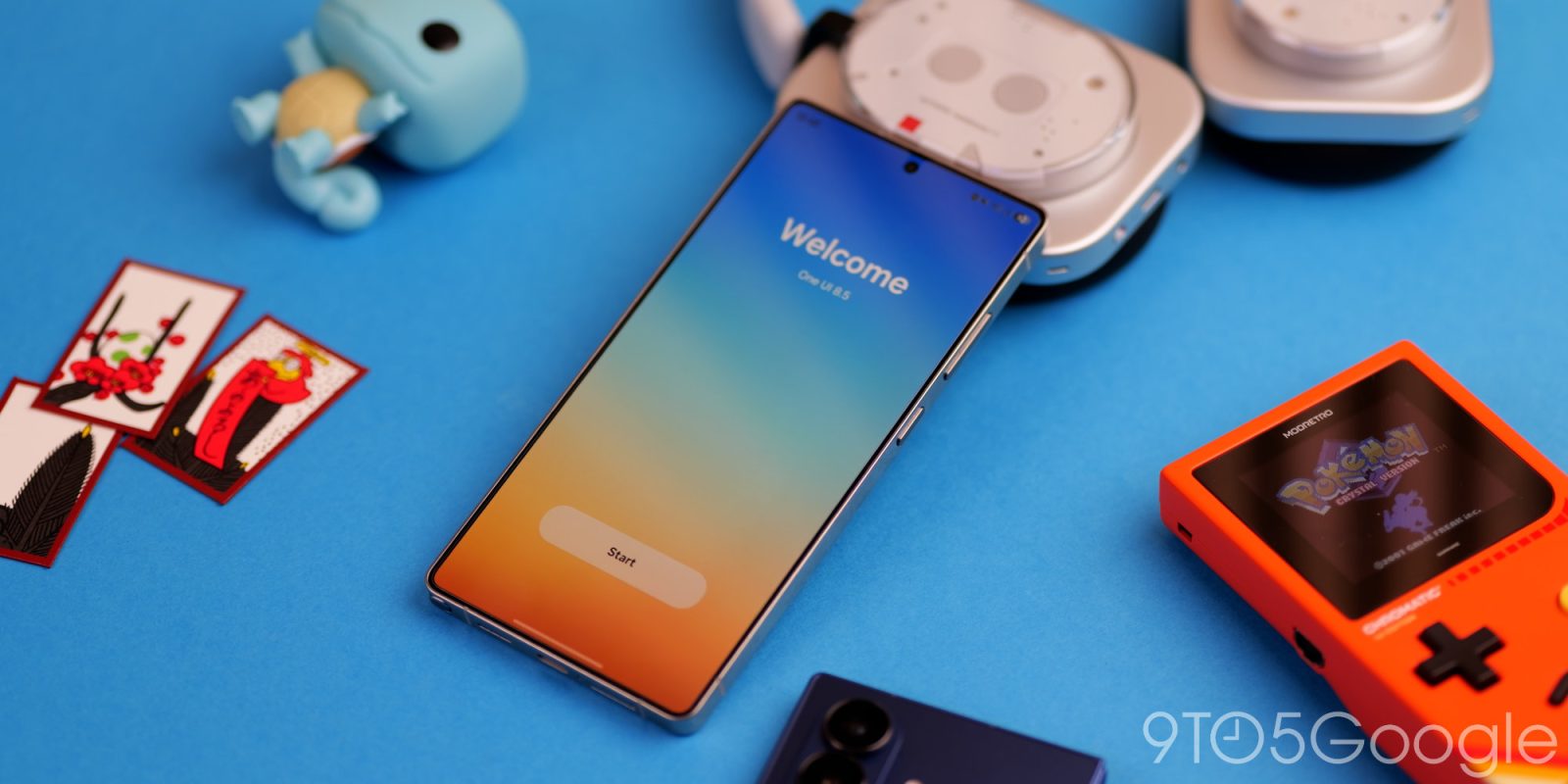
After a small-ish Android 16 update, One UI 8.5 is now available in beta for select Samsung smartphones – here are some of the biggest and best new features.
Over the past couple of years, Samsung has made major strides with One UI. From a sometimes finicky but feature-rich topping to arguably one of the best ways to experience Android, there’s a lot of love, care, and attention being paid to practically every area.
Sure, some things pay homage to what other manufacturers are doing – most notably Apple – but there’s still so much goodwill from fans as of late. While Samsung phones aren’t pushing as many boundaries as they did in the past, the software continues to improve with age.
Customizable QS panel
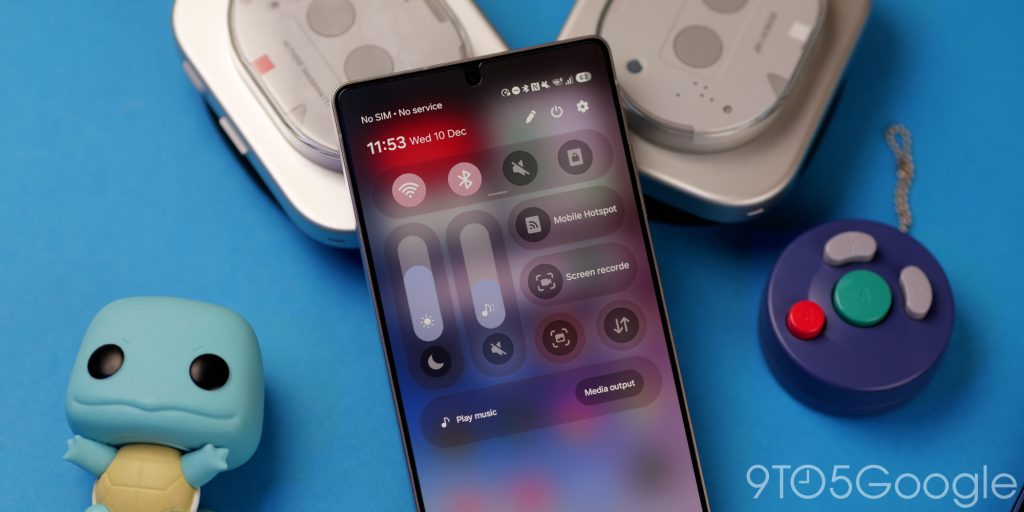
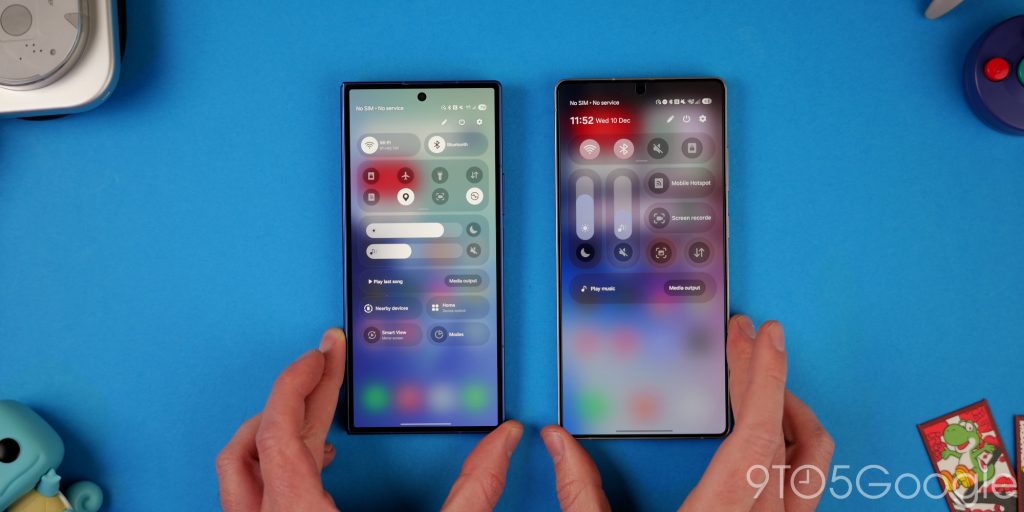
Following on from Google, Samsung is adding a fully customizable Quick Settings panel in One UI 8.5. It’s a little bit of a step between what you can do on Pixel with some elements of iOS folded in. While it’s not clear if things will stay the same on new hardware or when the stable update rolls out, after installing One UI 8.5, you’re greeted with a compact 4-button layout that you can start building on.
The UI for adding new toggles mimics the layout and categorisation found on Pixels, which makes it easier to start building a functional Quick Settings pane. The “Add a control” button is also easier to reach and less confusing.
Toggles can be added, expanded, and adjusted with small expansion tabs. Sections can be moved around to suit your own preferences. It’s a very big improvement over the previous layout. One of the best changes is to how sliders work. Because you’re able to customise the layout, you can set brightness or volume sliders to be portrait or landscape orientation, which is great for accessibility.
Partial screen area recording
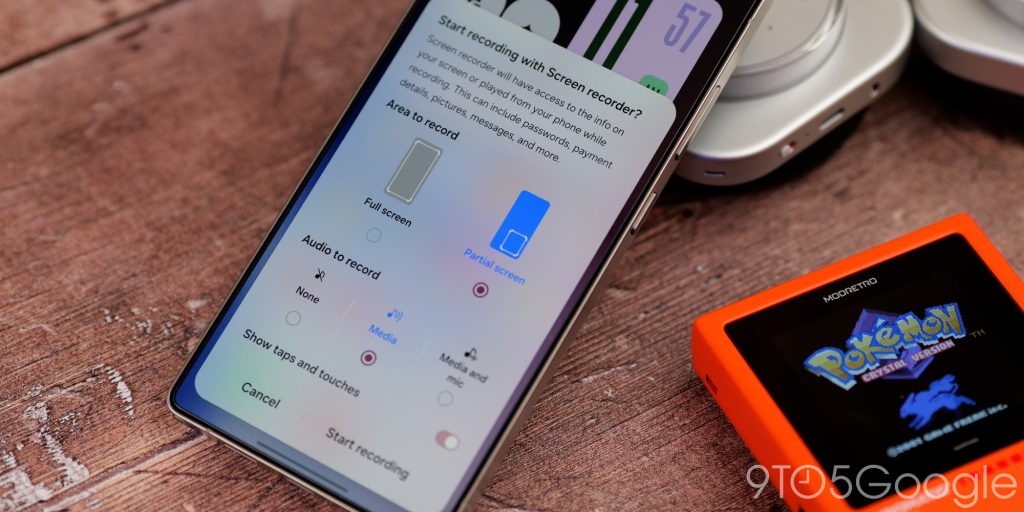
One UI 8.5 has a true power-user feature for screen recording, because you’re now able to record just a portion of your display, saving time editing later. This could be really useful if you have a foldable or are using something split-screen. It should also work in DeX mode, making it an even better tool for anyone who uses their phone in desktop mode, as your screen can be better organised in this orientation.
Better searchbars and control tabs

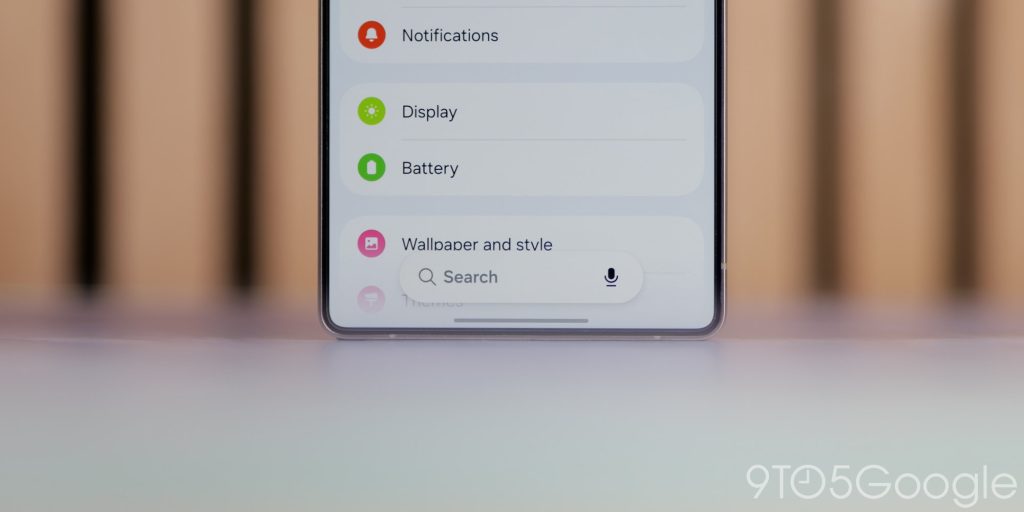
You might notice more floating search bars and control tabs on your phone if you do update to the One UI 8.5 Beta. This is technically part of the Material 3 Expressive control schema as it undocks some options, but it aids reachability in places like the Settings app or the app drawer.
Instead of needing to swipe up or stretch to the top of your display, you have search boxes within millimeters of your fingertips. It takes a little bit of…
Source link
Disclaimer
We strive to uphold the highest ethical standards in all of our reporting and coverage. We blogs.grocliq.com want to be transparent with our readers about any potential conflicts of interest that may arise in our work. It’s possible that some of the investors we feature may have connections to other businesses, including competitors or companies we write about. However, we want to assure our readers that this will not have any impact on the integrity or impartiality of our reporting. We are committed to delivering accurate, unbiased news and information to our audience, and we will continue to uphold our ethics and principles in all of our work. Thank you for your trust and support.
Website Upgradation is going on for any glitch kindly connect at [email protected]