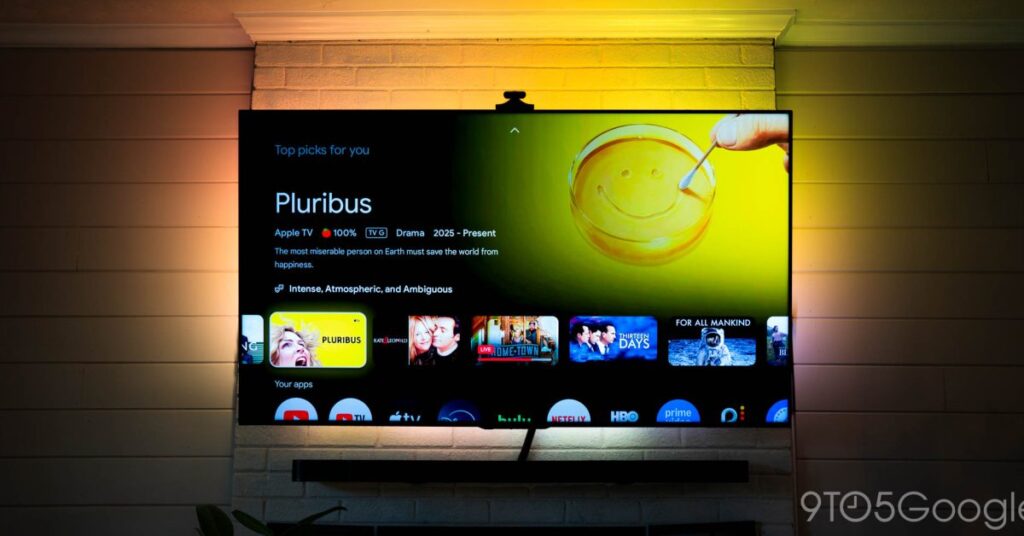

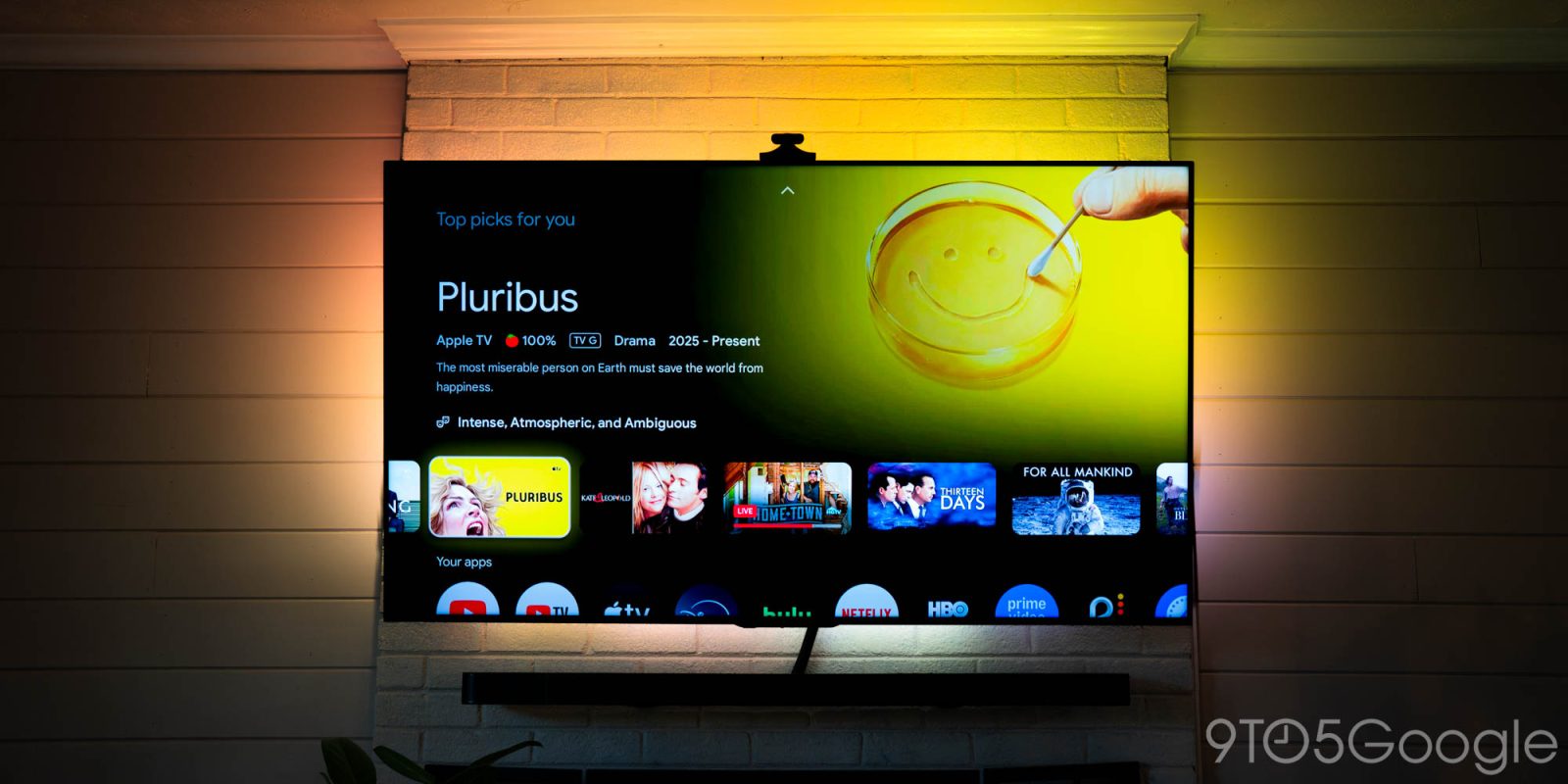
There aren’t many devices that can synchronize your surrounding lighting with the visuals on your TV. Two companies come to mind, and there’s a massive disparity in price, especially when Govee’s TV Backlight 3 Pro does a rather good job with a couple of drawbacks for cheaper.
Govee has been developing smart lighting for some time now, and the company has grown into several lighting categories over the years. If it produces colorful light and it can do it with an internet connection, Govee probably makes it.
One of the more unique products is the TV Backlight series. Unlike the Philips Hue Sync Box, Govee’s option uses a small camera set on top of your TV to read color output. Philips’ option uses the direct HDMI signal pulled from the TV, so it’s inherently going to be more accurate and faster.
However, the recently launched Philips Hue Play sync box 8K is priced at $389. Govee’s TV Backlight 3 Pro comes in at under half of that price, at just $179. That’s still pricey, but I really don’t know if the jump in performance between the two warrants spending the extra money.
It looks weird… at first
I’ve grown accustomed to the odd antenna-like camera hanging off the top of my TV, though it took a little time to delete it from my peripheral vision. The camera Govee uses in the Backlight 3 Pro kit is a triple-HDR array.
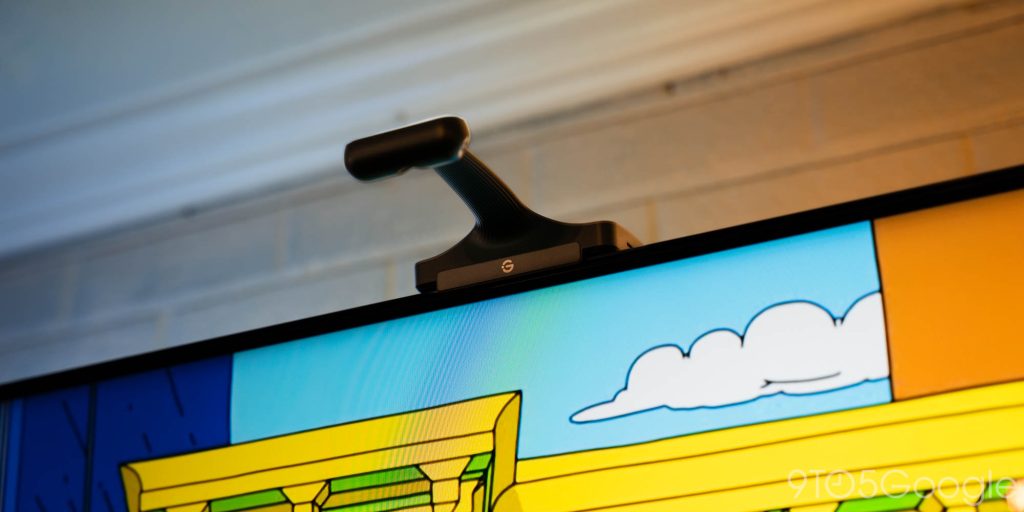
The camera, according to Govee, captures quick and long exposures, depending on the perceived color brightness. That allows it to more accurately represent darker accents in scenes that don’t produce much light.
The TV Backlight 3 Pro camera monitors three different zones on the screen and sends that signal to the paired LED strips, which are attached to the back panel, shining against the wall. The light fills the space and creates a nice visual around the TV that matches exactly what’s on screen, for the most part.
The entire kit is pretty easy to set up. It comes with everything needed, including small secure clamps that hold the LED strips down even further, where the corner cabling’s twists might want to push the adhesive from the TV. Both the camera and LED strips connect to a small power box that can also be stuck to the back. From there, a single power cord gets plugged in.
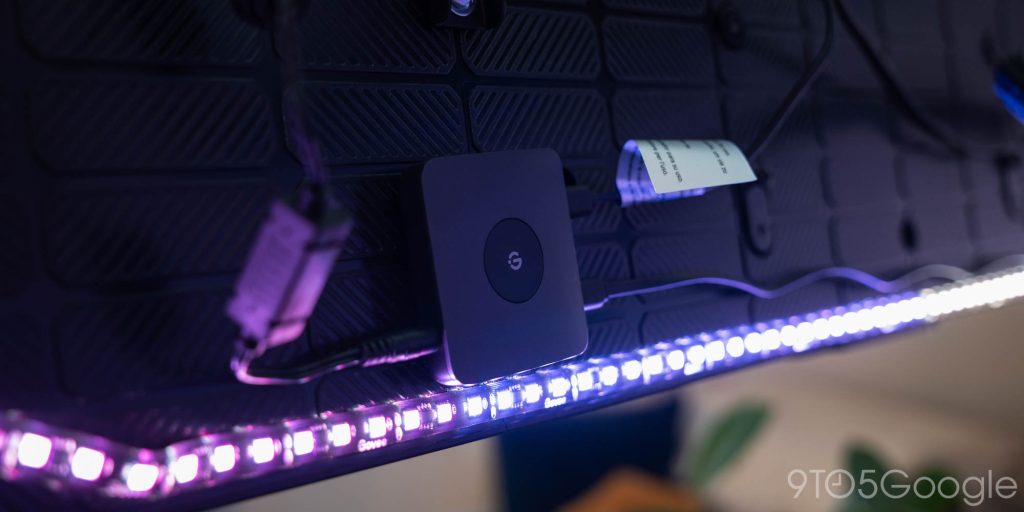
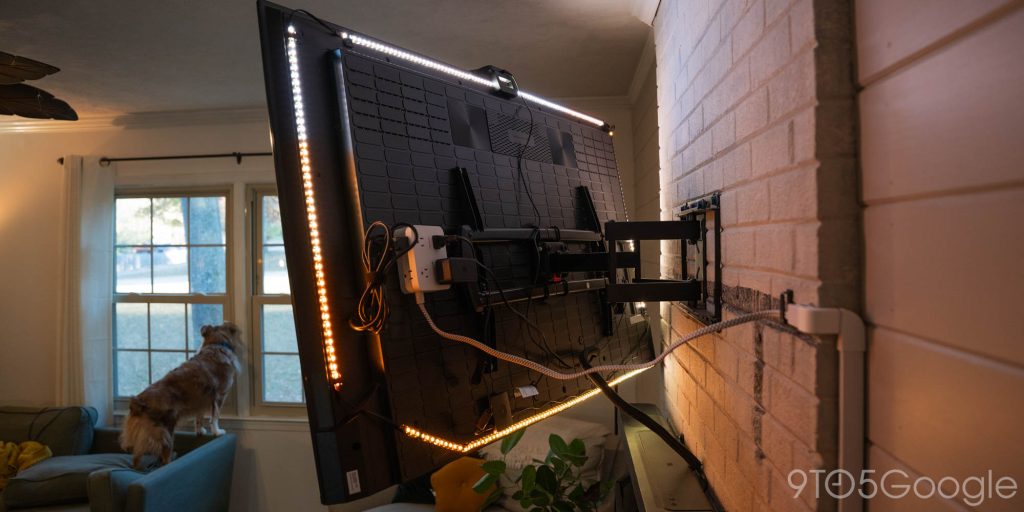
On my setup, I have a small power hub attached to the back of the TV. That allows me to run power to any accessories like streamers or lights more easily.
Lighting is almost always perfect
It took some tweaking to get everything right, thanks to Govee’s cumbersome control app. It’s not a bad app, but there are so many features available for every connected device that you can get lost in a sea of toggles and options. It took quite a while to find the setting that actually set the backlights to copy the color of the TV screen.
That button is “video,” by the way. So dead simple, I missed it entirely.
Within…
Source link
Disclaimer
We strive to uphold the highest ethical standards in all of our reporting and coverage. We blogs.grocliq.com want to be transparent with our readers about any potential conflicts of interest that may arise in our work. It’s possible that some of the investors we feature may have connections to other businesses, including competitors or companies we write about. However, we want to assure our readers that this will not have any impact on the integrity or impartiality of our reporting. We are committed to delivering accurate, unbiased news and information to our audience, and we will continue to uphold our ethics and principles in all of our work. Thank you for your trust and support.
Website Upgradation is going on for any glitch kindly connect at [email protected]