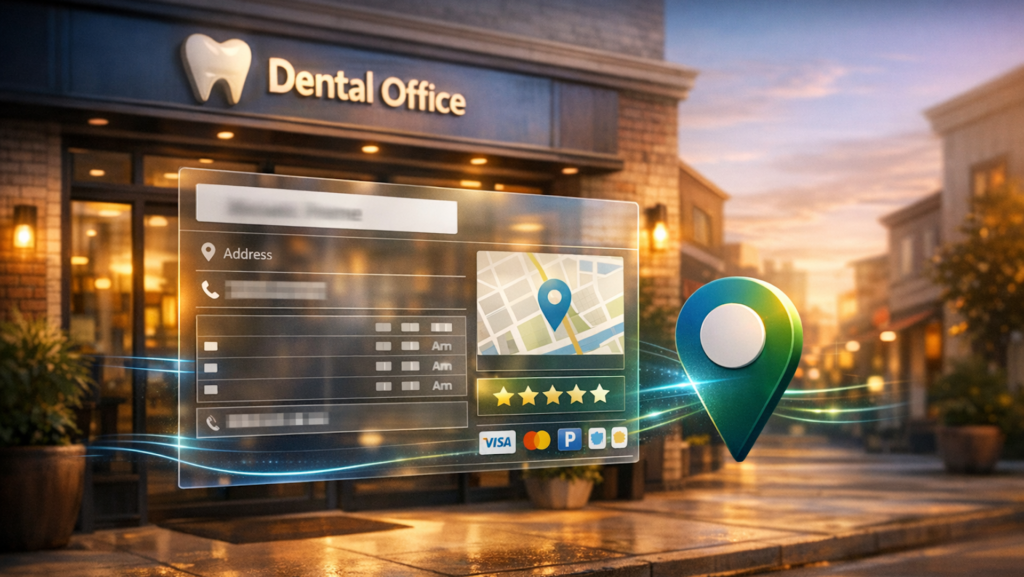

When you hear the term “contact page,” you probably think of a simple page containing contact info and maybe a form.
I’m here to tell you why that’s a big miss from a local SEO perspective and show you how to build a contact page that builds your prominence with Google and helps you convert more leads.
Google pays special attention to your contact page
The former head of Google Business Profile Support, Joel Headley, once told me that Google specifically crawls and parses your contact page to gather information about your business.
This led me to realize that most businesses have awful contact pages. They list their name, address, and phone number (NAP), embed a contact form, and call it a day.
Google is saying, “Give me data about your business,” and you’re saying, “No data for you.”
What you need to do instead is give your contact page the same level of care and attention as a multi-location landing page.
Here are the must-haves for a contact page that converts site visitors into paying customers:
- Business identity.
- Contact information.
- Trust factors and social proof.
- Location-specific content.
- Amenities.
- Call to action.
1. Business identity
Just like every other page on your site, your contact page should reflect your brand. This means you should include:
- Your business logo (that matches all your other marketing materials and real-world signage).
- Your slogan (bonus points if you can work some keywords into it for added SEO value).
- A short introduction that explains what your business does, where it’s located, and what your unique value proposition (UVP) is.
Dig deeper: The local SEO gatekeeper: How Google defines your entity
You won’t believe how many businesses forget to include their contact information on their contact page. Here’s what you absolutely have to include:
- Full business name.
- Contact form and an email address people can write to (I recommend both).
- Complete address.
- Phone and text numbers.
- Social media links.
- Hours of operation (including any holiday, seasonal, or special hours).
- Shopping options (e.g., in-store pickup, curbside pickup, delivery, appointment only).
- Embedded Google Map to your business (not your address).
- A common mistake businesses make is embedding a map of their business address on Google Maps instead of their actual Google Business Profile.
- Make sure you embed a map in your business listing on Maps so that whenever someone clicks it, they send engagement signals to your profile. Practically, this means:
- Search for your business name on Google Maps.
- Bring up your profile.
- Click the Share button.
- Click the Embed a map tab.
- Copy and paste the code into your contact page.
- A link to your Google Maps listing.
- A few years ago, Holly Starks conducted a case study to test whether driving directions affected local rankings. She set up Google Maps driving directions on 100…
Source link
Disclaimer
We strive to uphold the highest ethical standards in all of our reporting and coverage. We blogs.grocliq.com want to be transparent with our readers about any potential conflicts of interest that may arise in our work. It’s possible that some of the investors we feature may have connections to other businesses, including competitors or companies we write about. However, we want to assure our readers that this will not have any impact on the integrity or impartiality of our reporting. We are committed to delivering accurate, unbiased news and information to our audience, and we will continue to uphold our ethics and principles in all of our work. Thank you for your trust and support.
Website Upgradation is going on for any glitch kindly connect at [email protected]