
If you know anything about Google Ads Asset Studio, you’ve heard the hype:
- “Google just killed every excuse for not running video ads.”
- “Total game changer! You don’t need a production budget anymore.”
- “Upload a few product images and get campaign-ready video in minutes.”
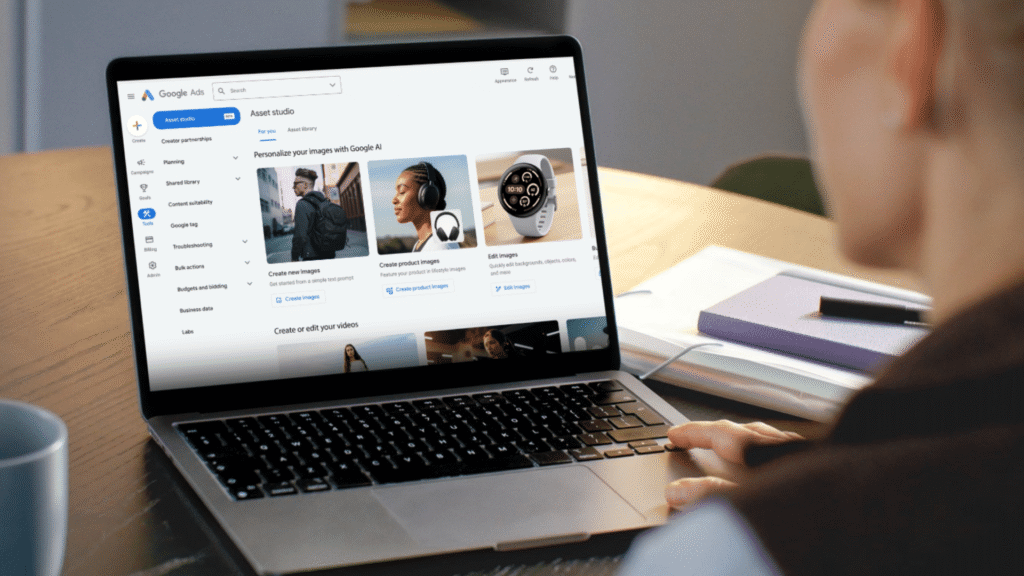
From Google Ads > Tools > Asset Studio, you can build, manage, and scale images and videos across ad formats.
The recent addition of Veo (Google’s AI video generation model) and Nano Banana Pro means you can now turn a handful of product images into full-motion video ads, for free, in no time.
Apparently, video creative is no longer a constraint. But does Asset Studio actually change the game? Read on to find out if it’s worth your time.
A tale of two Veos
Google is its own biggest cheerleader for the power of its AI images and video.
A recent Think with Google article showcases AI-generated ads for Cosmorama, a Greek travel agency. The videos are genuinely imaginative: think a flamenco dancer in the clouds, not just close-ups of headphones and sneakers.
As part of learning Asset Studio, I set out to reverse-engineer their approach. I wasn’t trying to match the quality. I just wanted a proof of concept using Nano Banana and Veo.
What I got instead was a series of dead ends.
- No scene-level control: I’d read that prompting plays a major role in video output. But there’s actually no prompt function for scenes in Asset Studio. You select an image from your Asset Library, and that’s it. Google decides how to animate it. There’s no way to direct motion, pacing, or narrative.
- Human performer restrictions: Video generation repeatedly failed with errors about “specific individuals.” I assumed that meant celebrities or real people. In practice, anything that resembled a human face — even AI-generated — triggered issues. The only assets that consistently worked were tightly cropped: hands, partial torsos, and abstract scenes.
- No real audio control: The Cosmorama video featured cinematic music. In Asset Studio, you’re limited to a small set of preloaded audio. There’s no way to upload custom music or meaningfully shape the sound layer.

After so many false starts, I returned to the article. It mentioned Nano Banana and Veo by name. It never said they were used inside Asset Studio.
When Veo 3 became available in Asset Studio, I didn’t realize how many limitations it would have, resulting in a completely different experience from the stand-alone version.
| Capability | Veo (Full Version) | Veo (Asset Studio) |
| Control level | Advanced control (API, model tiers, audio support) |
Simplified UI with fixed constraints |
| Text-to-video prompting | Full prompt control: – Scene – Camera movement – Lighting – Style – Subject/action |
None |
| Use cases | Production-ready pipelines | Lightweight asset generation |
| Scene stitching | Multi-scene / narrative workflows (stitching and extensions) |
None |
| Human generation | Support (with policy… |
Source link
Disclaimer
We strive to uphold the highest ethical standards in all of our reporting and coverage. We blogs.grocliq.com want to be transparent with our readers about any potential conflicts of interest that may arise in our work. It’s possible that some of the investors we feature may have connections to other businesses, including competitors or companies we write about. However, we want to assure our readers that this will not have any impact on the integrity or impartiality of our reporting. We are committed to delivering accurate, unbiased news and information to our audience, and we will continue to uphold our ethics and principles in all of our work. Thank you for your trust and support.
Website Upgradation is going on for any glitch kindly connect at [email protected]