
Google’s AI Max for Search campaigns is now available worldwide in beta across Google Ads, Google Ads Editor, Search Ads 360, and the Google Ads API.
AI Max packages Google’s AI features as a one-click suite inside Search campaigns. New built-in experiments allow you to test the impact with minimal setup.
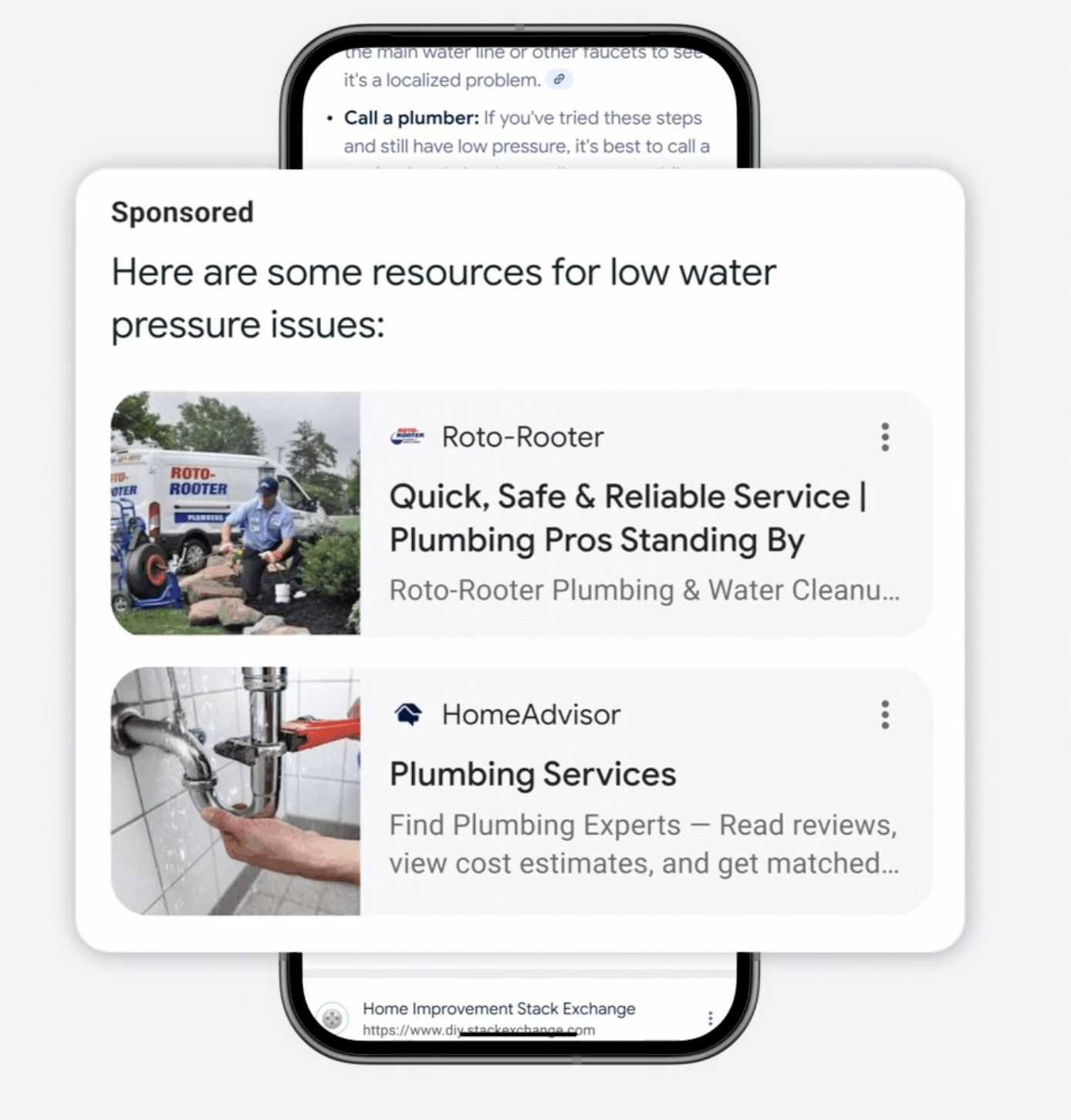 Image Credit: Google
What’s New
One-Click Experiments
AI Max is positioned as a faster path to smarter optimization inside Search campaigns.
New one-click experiments are integrated in the campaign flow, so you can compare performance without rebuilding campaigns.
Availability spans all major surfaces, including the API for teams that automate workflows.
How The Built-In Experiments Work
AI Max experiments are run within the same Search campaign by splitting traffic between a control (with AI Max off) and a trial (with AI Max on).
Since the test doesn’t clone the campaign, you’ll avoid sync errors and can ramp up faster. Once the experiment ends, review the performance and decide whether to apply the change or discard it.
Controls You Can Tweak During A Test
By default, your experiment starts with Search term matching and Asset optimization enabled, but it’s easy to customize these settings.
You can choose to turn off Search term matching at the ad group level or disable Asset optimization at the campaign level if that better suits your goals.
For more control over your landing pages, consider using URL exclusions at the campaign level and URL inclusions at the ad group level.
Brand controls are also available for added flexibility: you can set brand inclusions or exclusions at the campaign level, and specify brand inclusions within ad groups.
The “locations of interest” feature at the ad group level offers more geographic targeting precision.
Reporting Surfaces
Results appear under Experiments with an expanded Experiment summary.
AI Max also adds transparency across reports. These include “AI Max” match-type indicators in Search terms and Keywords reports, plus combined views that show the matched term, headlines, and landing URLs.
Auto-Apply Option
If you want, you can set the experiment to auto-apply when results are favorable. Otherwise, apply manually from the Experiments table or enable AI Max from Campaign settings after the test concludes.
Setup Limits To Know
You can’t create an AI Max experiment via this flow if the campaign:
- Has legacy features like text customization (old ACA), brand inclusions/exclusions, or ad-group location inclusion already configured
- Targets the Display Network
- Uses a Portfolio bid strategy
- Uses Shared budgets
Coming Soon: Text Guidelines
Google is working on a feature that will provide text guidelines to help AI create brand-safe content that meets your business needs.
This will be available to more advertisers this fall for both AI Max and Performance Max. In the meantime, stick to your usual brand approvals and policy checks.
Getting Started
Source link
Disclaimer
We strive to uphold the highest ethical standards in all of our reporting and coverage. We blogs.grocliq.com want to be transparent with our readers about any potential conflicts of interest that may arise in our work. It’s possible that some of the investors we feature may have connections to other businesses, including competitors or companies we write about. However, we want to assure our readers that this will not have any impact on the integrity or impartiality of our reporting. We are committed to delivering accurate, unbiased news and information to our audience, and we will continue to uphold our ethics and principles in all of our work. Thank you for your trust and support.
Website Upgradation is going on for any glitch kindly connect at [email protected]