
For a long time, SEO reporting revolved around dashboards. When a meeting was on your schedule, you’d spend your day preparing by exporting data from Google Search Console, cleaning it in spreadsheets, and layering charts into Data Studio.
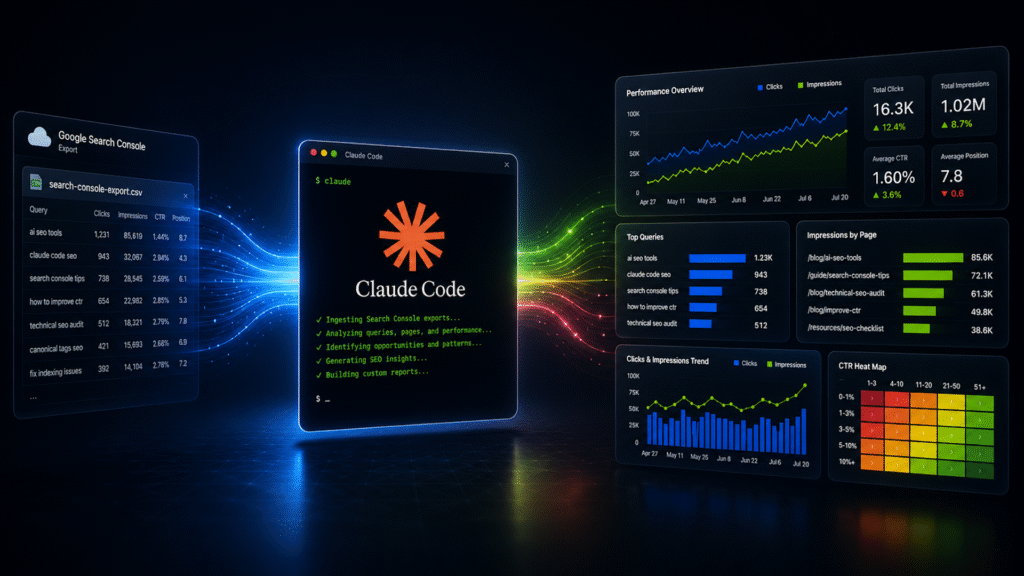
Now, AI coding agents are changing that workflow. Instead of the manual work that would previously take hours, you can use tools like Claude Code to surface customized data with polished visuals in just minutes.
Here’s how to turn Google Search Console data into custom reports and speed up your reporting workflow.
What Claude Code can do with GSC data
Claude Code isn’t the same as using Claude in a browser tab. The standard Claude.ai interface works like a regular chatbot. Claude Code, on the other hand, is Anthropic’s terminal-based AI coding assistant.
It still feels conversational, but instead of living in a browser tab, it can interact directly with files, folders, spreadsheets, and scripts on your machine. It can read exported GSC CSV files, process large datasets locally, generate charts and summaries, analyze trends across pages and queries, and ultimately create structured deliverables from raw data.
Claude Code isn’t simply generating text responses like a chatbot. Instead, it’s creating a local reporting environment that behaves like a lightweight software project.
Dig deeper: How to turn Claude Code into your SEO command center
Your customers search everywhere. Make sure your brand shows up.
The SEO toolkit you know, plus the AI visibility data you need.
Start Free Trial
Get started with

There’s a learning curve
Before you can start building beautiful, custom reports, you’ll need to set up Claude Code. If you’re not an engineer or developer, this process can feel overwhelming at first. There is a learning curve, but don’t give up.
Setup is actually the most time-intensive piece of the process, but it’s a one-time process. Depending on your technical experience, the initial setup may take a couple of hours.
The “reports in minutes” concept really applies after the environment is configured. Once you’re past the initial setup and Claude is connected to GSC, you can run any custom SEO report you want in a matter of minutes.
If you’re in an enterprise environment, this setup process can go faster with a little help from the tech team. If you’re an agency or an SEO consultant, you can always lean on the expertise of in-house developers or engineers or an outside contractor.
Getting started
If you don’t already have one, create an account at Claude.ai. You can sign up with Google, email/password, or enterprise SSO.
Most SEOs using Claude Code for reporting have a paid plan or use Anthropic API access. But you can use a free plan at the time of writing.
Install Node.js
Claude Code runs locally on…
Source link
Disclaimer
We strive to uphold the highest ethical standards in all of our reporting and coverage. We blogs.grocliq.com want to be transparent with our readers about any potential conflicts of interest that may arise in our work. It’s possible that some of the investors we feature may have connections to other businesses, including competitors or companies we write about. However, we want to assure our readers that this will not have any impact on the integrity or impartiality of our reporting. We are committed to delivering accurate, unbiased news and information to our audience, and we will continue to uphold our ethics and principles in all of our work. Thank you for your trust and support.
Website Upgradation is going on for any glitch kindly connect at [email protected]