

TL;DR
- Search Console has some pretty severe limitations when it comes to storage, anonymized and incomplete data, and API limits.
- You can bypass a lot of these limitations and make GSC work much harder for you but setting up far more properties at a subfolder level.
- You can have up to 1,000 properties in your Search Console account. Don’t stop with one domain-level property.
- All of this allows for far richer indexation, query, and page-level analysis. All for free. Particularly if you make use of the 2,000 per property API URL indexing cap.
 Image Credit: Harry Clarkson-Bennett
Now, this is mainly applicable to enterprise sites. Sites with a deep subfolder structure and a rich history of publishing a lot of content. Technically, this isn’t publisher-specific. If you work for an ecommerce brand, this should be incredibly useful, too.
I and it love all big and clunky sites equally.
What Is A Search Console Property?
A Search Console Property is a domain, subfolder, or subdomain variation of a website you can prove that you own.
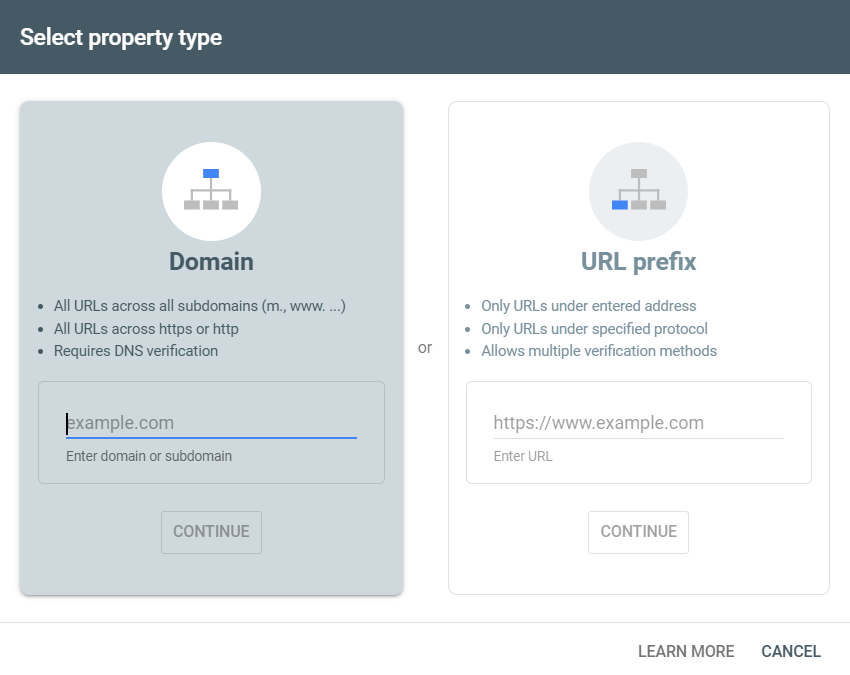 You can set up domain-level or URL-prefix-level properties (Image Credit: Harry Clarkson-Bennett)
If you just set up a domain-level property, you still get access to all the good stuff GSC offers. Click and impression data, indexation analysis, and the crawl stats report (only available in domain-level properties), to name a few. But you’re hampered by some pretty severe limitations:
- 1,000 rows of query and page-level data.
- 2,000 URL API limit for indexation level analysis each day.
- Sampled keyword data (and privacy masking).
- Missing data (in some cases, 70% or more).
- 16 months of data.
While the 16-month limit and sampled keyword data require you to export your data to BigQuery (or use one of the tools below), you can massively improve your GSC experience by making better use of properties.
There are a number of verification methods available – DNS verification, HTML tag or file upload, Google Analytics tracking code. Once you have set up and verified a domain-level property, you’re free to add any child-level property. Subdomains or subfolders alike.
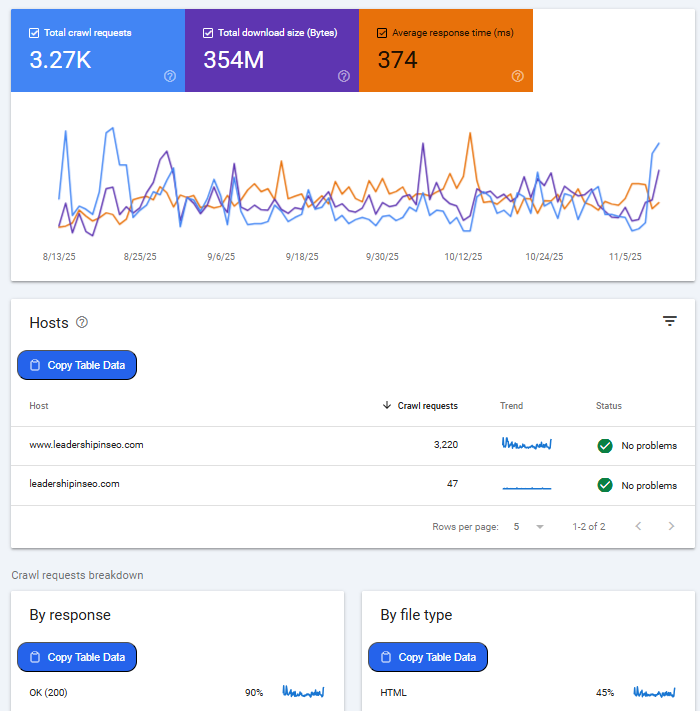 The crawl stats report can be an absolute goldmine, particularly for large sites (not this one!) (Image Credit: Harry Clarkson-Bennett)
The crawl stats report can be extremely useful for debugging issues like spikes in parameter URLs or from naughty subdomains. Particularly on large sites where departments do things you and I don’t find out about until it’s too late.
But by breaking down changes at a host, file type, and response code level, you can stop things at the source. Easily identify issues affecting your crawl budget before you want to hit someone over the head with their approach to internal linking and parameter URLs.
Usually, anyway. Sometimes people just need a good clump. Metaphorically speaking, of course.
Subdomains are usually seen as separate entities with their own crawl budget. However, this isn’t always the case. According to…
Source link
Disclaimer
We strive to uphold the highest ethical standards in all of our reporting and coverage. We blogs.grocliq.com want to be transparent with our readers about any potential conflicts of interest that may arise in our work. It’s possible that some of the investors we feature may have connections to other businesses, including competitors or companies we write about. However, we want to assure our readers that this will not have any impact on the integrity or impartiality of our reporting. We are committed to delivering accurate, unbiased news and information to our audience, and we will continue to uphold our ethics and principles in all of our work. Thank you for your trust and support.
Website Upgradation is going on for any glitch kindly connect at [email protected]